A native, offline-first desktop editor built specifically for writing and organizing Game Design Documents. Design your core loop, author sections in markdown, and export instantly to PDF or Markdown.
Two specialized views designed to give you absolute control over your game design concepts and documents.
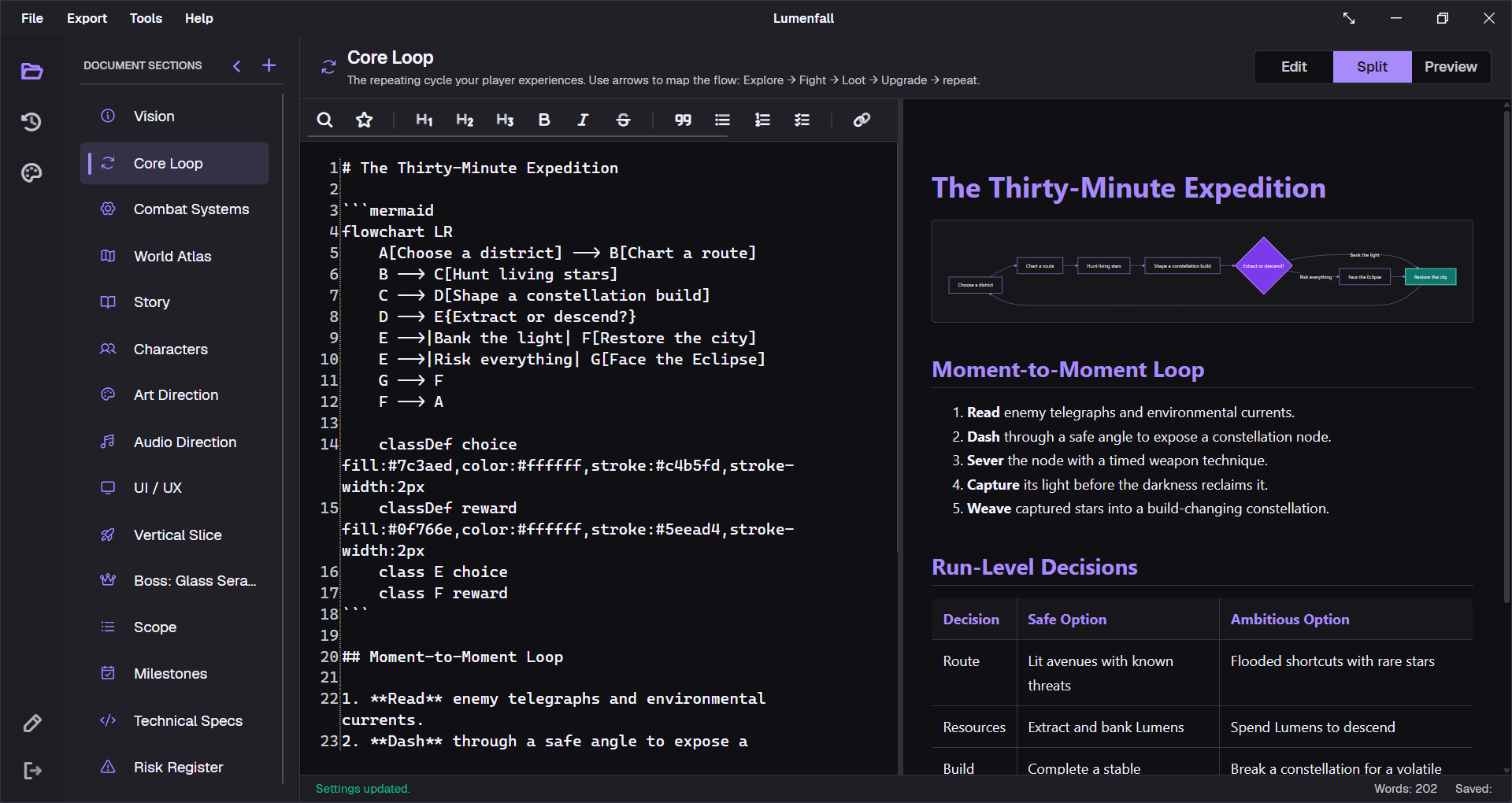
Write in standard Markdown on the left, see fully styled native rendering with live Mermaid diagrams on the right.
Built-in version tracking. Log iterations, assign semver tags, and monitor scope updates without external tools.
From structured GDD templates to professional PDF exports, GDDKit gives you a complete, focused desktop workspace.
Built with C# and WPF on .NET 8.0 for native performance, direct file system access, and windows integration.
All data stored locally in standard .gddkit files. No cloud accounts, no subscriptions, no internet required.
Write utilizing standard Markdown syntax, enriched with custom YAML frontmatter for robust structured metadata.
Design core loops, player flows, mechanics flowcharts, and dev timelines rendered dynamically inline.
Toggle between Edit, Split, and Preview views. Render Markdown formatting and diagrams in real-time as you type.
Export GDDs with cover pages, custom layouts, and style themes like Publisher Pitch, Blueprint, and Retro RPG.
Jump-start weapon specs, quest design, level briefs, or boss templates with pre-configured document presets.
Track every game design revision directly inside your project file. Generate clean version history timelines.
Perform global Ctrl+F text searches. Preview matching snippets across every GDD section and click to edit.
Never lose concepts. Atomic save processes coupled with automatic backup restoration keeps GDDs secure.
Switch UI styles to match your environment. Both themes are fully optimized for focused, long-session writing.
Seamless updates check for and deploy new releases in the background, keeping your editor current.
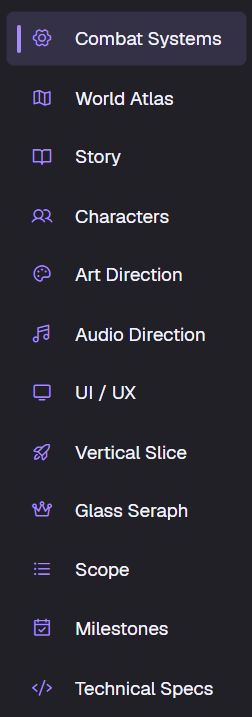
GDDKit comes loaded with default templates tailored specifically for game development. Create, reorder, customize, and edit them seamlessly.
Elevator pitch, design pillars, target audience, player fantasy.
The game's repeating play cycle with pre-built Mermaid diagram templates.
Movement rules, combat systems, crafting details, and game loop logistics.
Setting themes, narrative arcs, and journey flowcharts.
Main player classes, key NPCs, factions, and character progression.
Environment settings, geography, historical lore, and locations.
Visual style, reference moodboards, color palette swatches, and UI aesthetic.
Soundtrack mood, SFX approaches, and reference playlists.
HUD designs, menu flows, keymaps, and accessibility planning.
Target game engines, target hardware requirements, and third-party tools.
Must-have core features vs. nice-to-have stretch goals.
Development phases, sprints, and release calendars with Gantt charts.
Instantly spawn pre-written schemas for common design tasks:
GDDKit wraps standard Markdown formatting in a dual-pane editor built specifically for designers. Write mechanics text, outline loops, and structure world lore side-by-side.
Work in Edit Mode, Preview Mode, or Split Mode for live side-by-side authoring.
Render core game loops, player decision branches, and timelines inline dynamically.
Easily declare and read metadata such as authors, tags, and document versions.
Turn your design files into presentation-ready documents. GDDKit formats headers, tables, outlines, and diagrams automatically.
GDDKit streamlines document construction so you spend less time formatting and more time designing.
Establish metadata including title, genre, target platforms, and automatic templates.
Drag and drop document sections, utilize preset schemas, or author custom layouts.
Compose details in distraction-free Markdown with syntax highlighting and live previews.
Compile sections into a single Markdown file or compile beautifully themed PDFs.
No subscription models, no mandatory accounts, no cloud dependencies. Purchase once and use offline forever.
Lifetime license including all updates
Got questions about GDDKit? We have compiled responses to typical designer inquiries.
Your GDD is saved as a single .gddkit file in JSON format. It is completely portable, meaning you can copy, backup, or share it like any regular text document. All content remains local to your device.
Yes. The JSON structure of .gddkit files maps clean properties, making them safe to track, branch, merge, and diff inside Git repositories.
No. GDDKit is a one-time $6 purchase. Your license gives you lifetime desktop access and updates. No hidden charges or monthly dues.
Absolutely. The application operates entirely offline. No internet connection is required to open, edit, render diagrams, or export your work. Updates check is the only online action, which can be disabled.
Currently, yes. GDDKit is built natively with WPF for Windows 10 and 11 to achieve optimal speed. Bringing the workspace to macOS and Linux via Avalonia is on our product roadmap.
Presets are reusable structures for common elements. GDDKit ships with presets for Boss Design, Weapon Specs, and Level Briefs. You can also save custom sections you build as presets for future projects.
Yes. The PDF exporter compiles pages according to 8 style sheets, including Publisher Pitch, Studio Bible, and Nordic Frost. Each preset handles layout adjustments and font pairings automatically.