
Start with the reason the game should exist
The first page does not try to summarize every feature. It establishes the premise, player fantasy, audience, and design pillars. Later sections can then be reviewed against a stable creative direction.
For Lumenfall, the core question is not simply how combat works. It is how light, risk, and route planning create decisions the player can read under pressure.
Give major systems their own section
The project outline separates combat, world rules, narrative, art, audio, UI, scope, and technology. A focused boss section sits beside the broader combat system because the encounter needs its own attack, phase, and readability decisions.
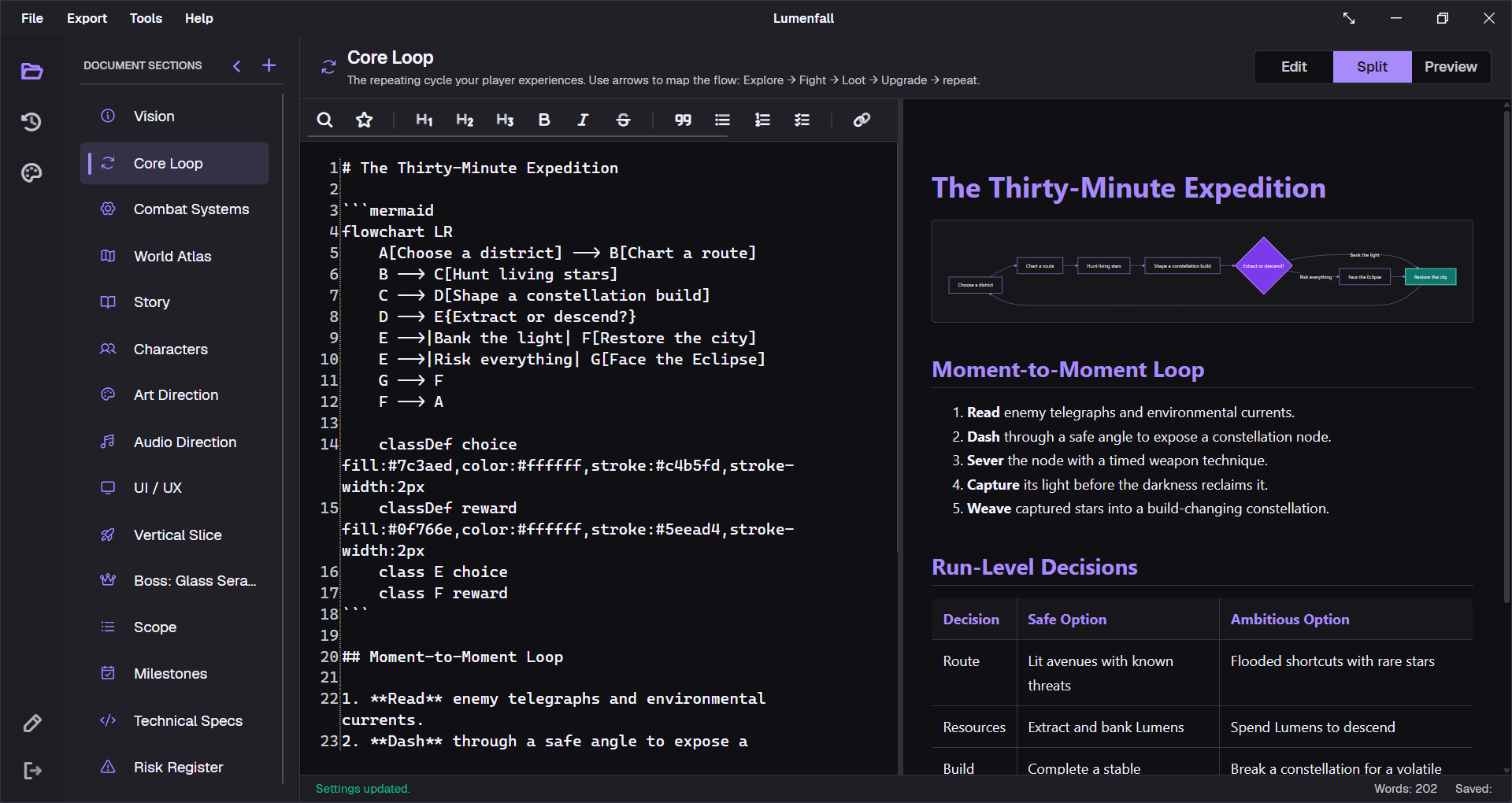
Use diagrams where sequence matters
Core loops, state changes, quest branches, and production dependencies are faster to review as diagrams. The source remains plain Mermaid text inside the same section, so a change to the logic does not require replacing a separate image.
Keep production constraints beside design intent
Scope, milestones, and technical specifications are part of the document, not an appendix that nobody reads. The vertical slice section identifies what must reach target quality. The scope section sets counts and cuts. Milestones define exit criteria instead of dates alone.
Export a version people can review
The working file stays editable and local. When a publisher, contractor, or teammate needs a stable snapshot, the project can be exported with a cover, table of contents, numbered sections, diagrams, and change history.
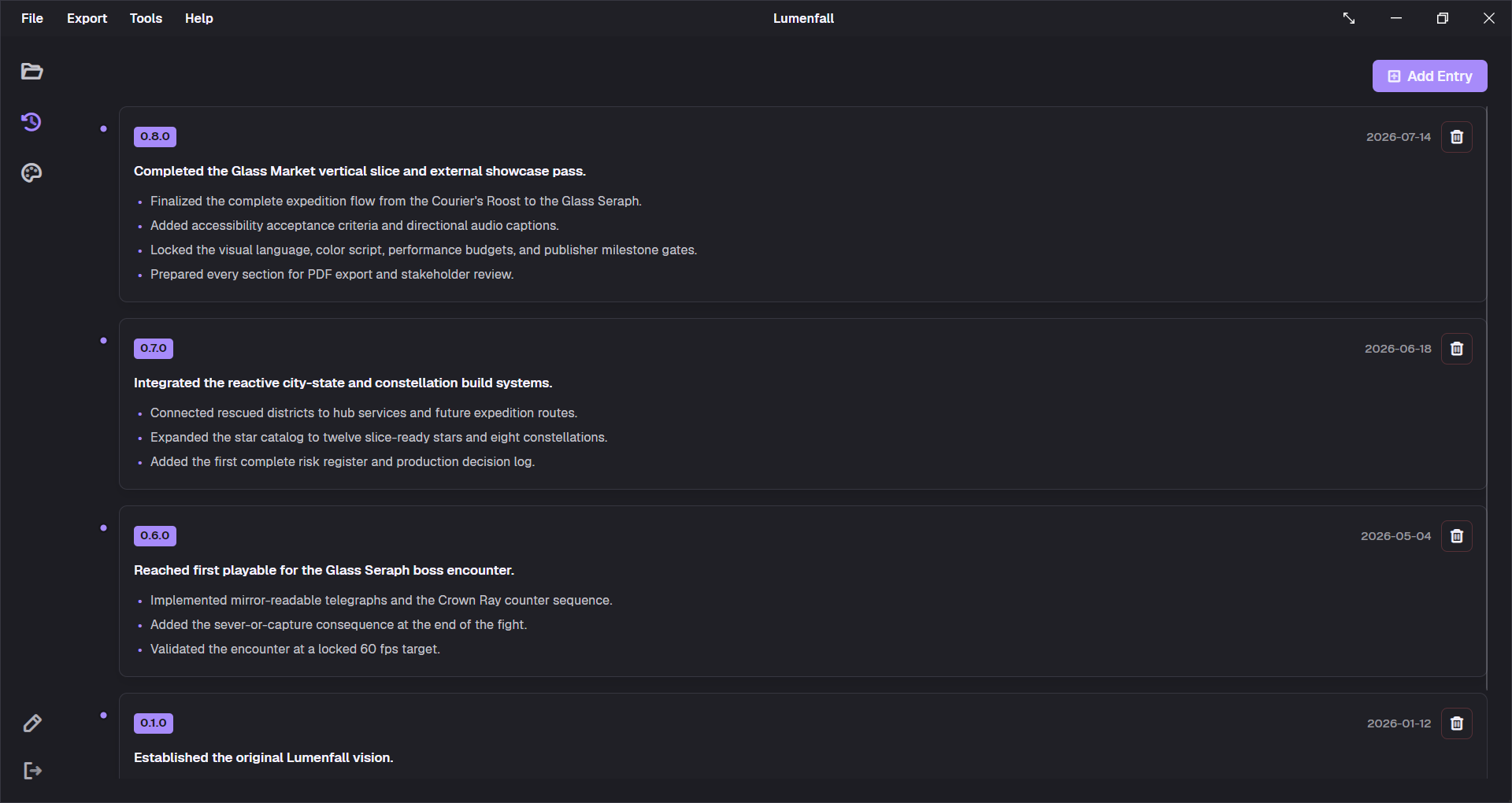
Record why the document changed
A design decision often makes sense only when its constraint is remembered. Lumenfall keeps version notes inside the project so the team can see what changed and why before reopening an old debate.
To build a similar structure, begin with the free GDD template, then add focused boss, quest, or weapon specs only when a system needs more room.